How HOA boards manage facility reservations and booking fees
Date published: July 18, 2026
Updated: October 12, 2026
Author: Kelly Fansler, Founder HOAResidents
HOA facility booking and amenity reservation payments for residents and guests: self-service calendars, approval workflows, Groups so different people can reserve different amenities, optional Daily/Weekly/Monthly recurring reservations when the board enables them, booking fees, and fair access — plus how similar tools help churches and other groups.
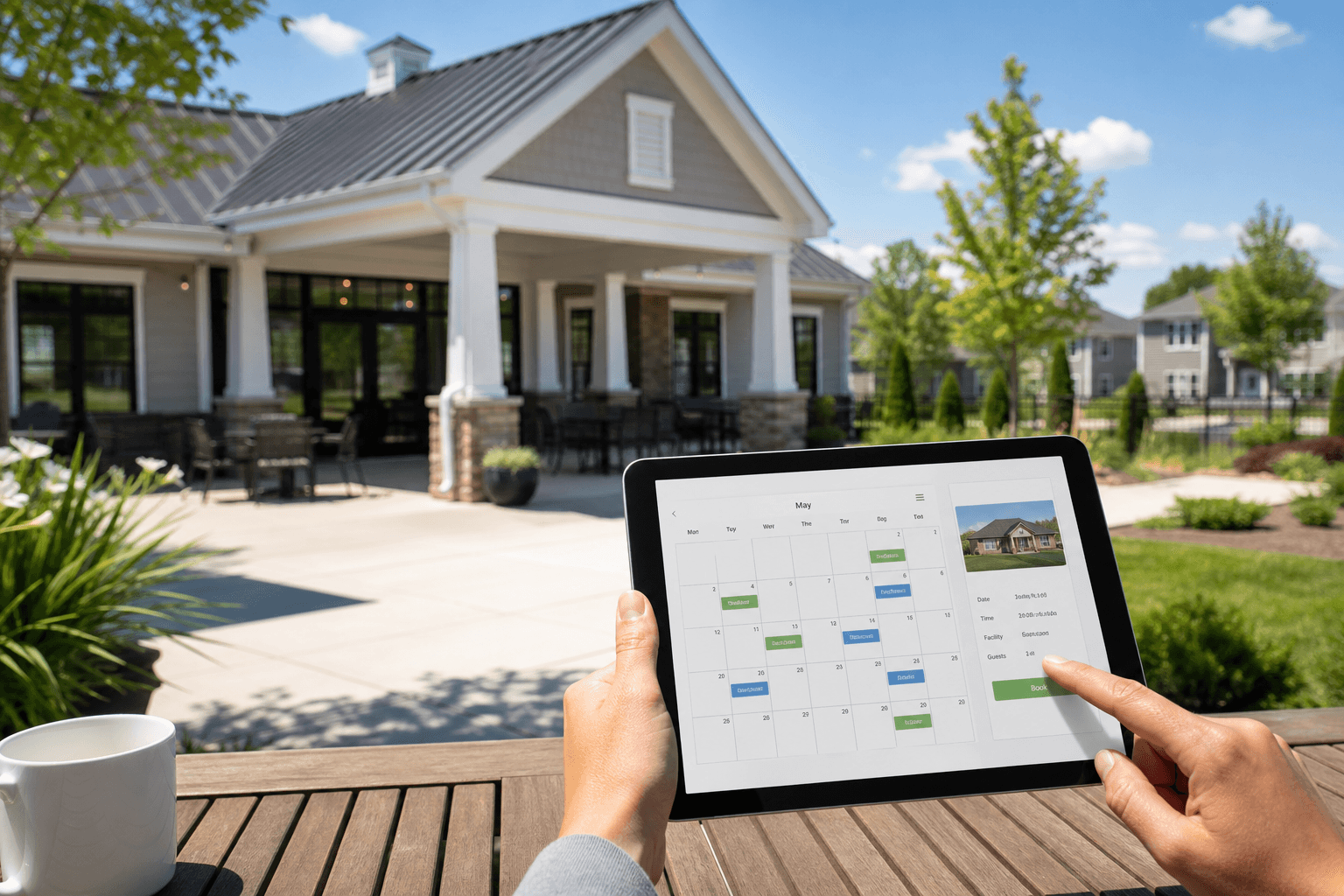
Volunteer boards spend a surprising amount of time as a human calendar. Clubhouse rentals, pool parties, tennis courts, guest parking, and pavilion bookings arrive as texts, emails, and hallway conversations — then someone has to check who already booked Saturday, write it down somewhere, and hope nobody double-books.
That is why communities look for HOA facility booking and amenity reservation payments that residents can use themselves. The goal is simple: homeowners see availability, request or confirm a slot online, and the board only steps in when a space needs approval. Booking fees are optional and independent of that choice.
This overview covers how HOA boards manage facility reservations and booking fees — using HOA amenity reservation system as a concrete example. Optional Stripe Connect booking fees send money to your HOA’s Stripe account; HOAResidents keeps $0.
HOA amenities vs other amenity booking
Not every reservation problem is an HOA problem. The right approach depends on who is allowed to book.
- HOA amenities are typically limited to verified residents (and their guests where policy allows). A tennis court, guest parking space, or clubhouse rental stays inside the association — neighbors book against shared community rules, not the open public.
- Other organizations — churches, community centers, sports clubs, coworking spaces, and similar groups — often need amenity or resource reservations for members, visitors, or the public. Example: a church may want people to reserve an event hall, classroom, or fellowship room online instead of calling the office.
Same idea — calendars, rules, approvals, and confirmation passes — different audience. Use an HOA-focused resident workflow when booking is a resident privilege. Use a general amenity reservation approach when the space is meant for a wider public, or when the organization is not an HOA at all.
What Amenity Reservations includes on HOAResidents.com
A useful facility booking and amenity reservation system does more than show a calendar. HOAResidents.com Amenity Reservations includes:
- Booking questions and approval groups so a request can collect answers and wait for every required approver
- Fixed or flexible booking, with a cleaning buffer kept as a gap between generated slots
- Public page choices: open to the public, registered residents of that HOA only, or no public page
- Multi-unit amenities such as Tennis Court 1, Court 2, and Court 3 under one amenity — residents pick a unit or take any available one
- Parking reservations with bulk spaces (for example G1–G48), overnight/multi-day stays, and vehicle details when required
- Booking restrictions (by property or resident) so households cannot take all availability
- Groups so different people can reserve different amenities — for example Owners vs Renters on the clubhouse vs guest parking
- Optional recurring reservations when the board enables them on an amenity (Daily, Weekly, or Monthly series with an end count or end date; off by default)
- Auto-book and board-approval required options configured per amenity
- Blackout dates, cleaning buffers, and booking hours
- Printable reservation passes with an official confirmation QR code — titled with the amenity name, and the unit/space when there is more than one
- Per-amenity QR posters for on-site public availability
- Calendar views for residents and the board
- Optional amenity reservation fees via Stripe Connect when your HOA charges for pavilion, clubhouse, or court use — money goes to your association’s Stripe account; HOAResidents keeps $0
Guest parking as a first-class amenity
Guest parking works like any other multi-unit amenity: create a Guest Parking amenity, bulk add spaces (G1–G48), enable overnight when overnight stays are allowed, and optionally require a plate. Residents reserve a free space, then print a Guest Parking reservation pass for the dash or gate — including the space name when you have more than one unit, plus a confirmation QR that opens the official reservation record. Guests use the pass; the reservation still originates from a resident account inside the HOA.
Booking restrictions that keep availability fair
Popular amenities fail when one household stacks every prime slot. Amenity Reservations supports HOA-wide policies by property (shared household pool) or by resident — including max open reservations and minimum days between starts, with optional weekend or date-range overrides. Those restrictions keep residents from taking all availability without one-off exceptions tracked in email.
Separately, Groups let the board decide who may reserve which amenity — for example Owners vs Renters — so different people can book different spaces without a volunteer checking eligibility by hand. The board can also enable recurring reservations per amenity when standing weekly holds are appropriate; amenities leave recurring off until authorized.
Resident auto-book vs requires approval
Not every amenity needs the same workflow. On HOAResidents.com you configure each amenity independently.
Resident auto-book (instant confirmation)
Turn requires board approval off when the space is low risk and you want speed — for example a tennis court, pickleball court, short pool cabana slot, or many guest parking spaces. Residents book online and the reservation is confirmed immediately. No inbox pile of “is Saturday still free?” messages.
Auto-book works best when rules do the gatekeeping for you: advance booking limits, max duration, cleaning buffers, blackout dates, booking hours, and fairness restrictions. The board sets policy once; residents self-serve within those guardrails.
Requires board approval
Turn requires board approval on for amenities that need judgment — clubhouse rentals, large parties, or spaces with deposits and cleanup expectations. Residents submit a reservation request. The booking stays pending until a board member approves or denies it.
That split is the practical answer to “should residents auto-book or ask permission?” Use auto-book for high-volume, low-stakes facility booking. Use approval when a space needs a human review before the date is locked. A booking fee is a separate choice — you can charge on auto-book amenities or on approval amenities.
Amenity reservation payments and booking fees
Many HOAs charge for facility use: a clubhouse rental fee, pavilion charge, or court reservation fee. Amenities stay free by default. After you connect Stripe on Settings → Billing, you can add an optional Booking fee (USD) on the amenities you want to charge for.
Residents pay that listed fee at Stripe Checkout when they book. Money goes to your HOA’s Stripe Connect account. HOAResidents keeps $0 of amenity charges; Stripe’s card costs come out of what the association receives. A fee does not require board approval, and paid reservations cannot use a recurring series in this version.
For the click-by-click setup — Connect Stripe, add a fee, and take a test booking — see HOA amenity reservation system.
A practical setup for most HOAs
- List your amenities — clubhouse, pool, courts, pavilion, guest parking — with location, capacity, and units (bulk-create parking spaces when you need dozens).
- Choose auto-book or approval per amenity. Courts, short slots, and many parking spaces often auto-book; clubhouse rentals usually require approval.
- Add booking restrictions so popular amenities stay fair across properties and residents. Optionally create Groups and restrict amenities so only listed sets (for example Owners vs Renters) can reserve them, and enable recurring only where the board wants Daily, Weekly, or Monthly series.
- Enable overnight / multi-day only where it is allowed, and require vehicle details when the board needs a plate on the reservation pass.
- Set blackout dates, buffers, and booking hours for maintenance and quiet hours.
- Add a booking fee only where you charge residents — after Stripe is connected. Leave the fee blank to keep an amenity free.
- Tell residents once via an announcement that online Amenity Reservations are live, then stop taking calendar requests by text.
What this replaces
- Paper clubhouse calendars and whiteboard sign-up sheets
- Email threads asking “is the pavilion free on the 12th?”
- Board members tracking who paid a rental fee in personal notes
- Double-bookings discovered the morning of an event
Facility booking and Amenity Reservations will not remove every edge case — but they do remove the default chaos of volunteer scheduling by text message.
FAQ: amenity reservation fee system for HOAs
What is an amenity reservation fee system for an HOA?
It is online facility booking plus an optional Stripe Checkout fee for spaces that charge residents — for example a clubhouse rental. You connect Stripe, set a booking fee on that amenity, and the resident pays the listed amount when they book. Approval stays a separate setting.
Do free amenities need a fee system?
No. Courts, short slots, and many guest parking spaces often stay on auto-book with no fee. Use an amenity reservation fee system only where your association actually charges for use.
Related tools for resident self-service
Reservations are one part of getting the board out of the email nightmare. Pair HOA facility booking with HOA document management software so rental rules live in the portal, and a shared inbox for the HOA board for questions that are not booking requests.
Try Amenity Reservations free
HOAs: HOAResidents.com is free through January 2027. Set up Amenity Reservations with resident auto-book or board approval, add booking fees where you charge for rentals, and let homeowners reserve online. See HOA facility booking and Amenity Reservations or review pricing and the founding rate lock.
Public or non-HOA amenities: if your organization is not an HOA — or your spaces are open for public booking — a general amenity product such as HoldATime.com is usually a better fit than forcing a resident-only model onto a church hall, club room, or community venue. Compare options on our products page.
In the product
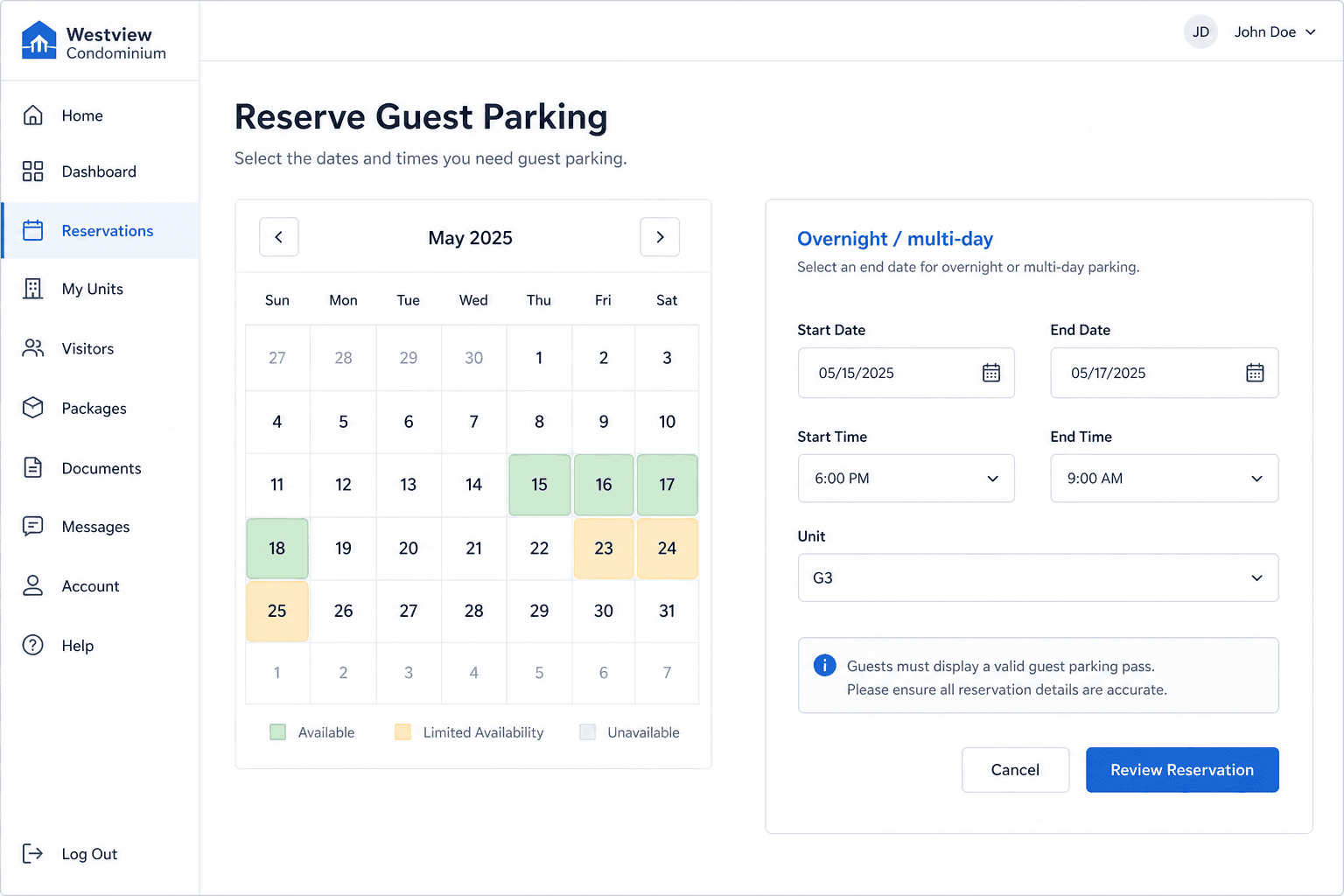
Guest parking: bulk spaces and an overnight calendar so residents reserve a free stall across days. 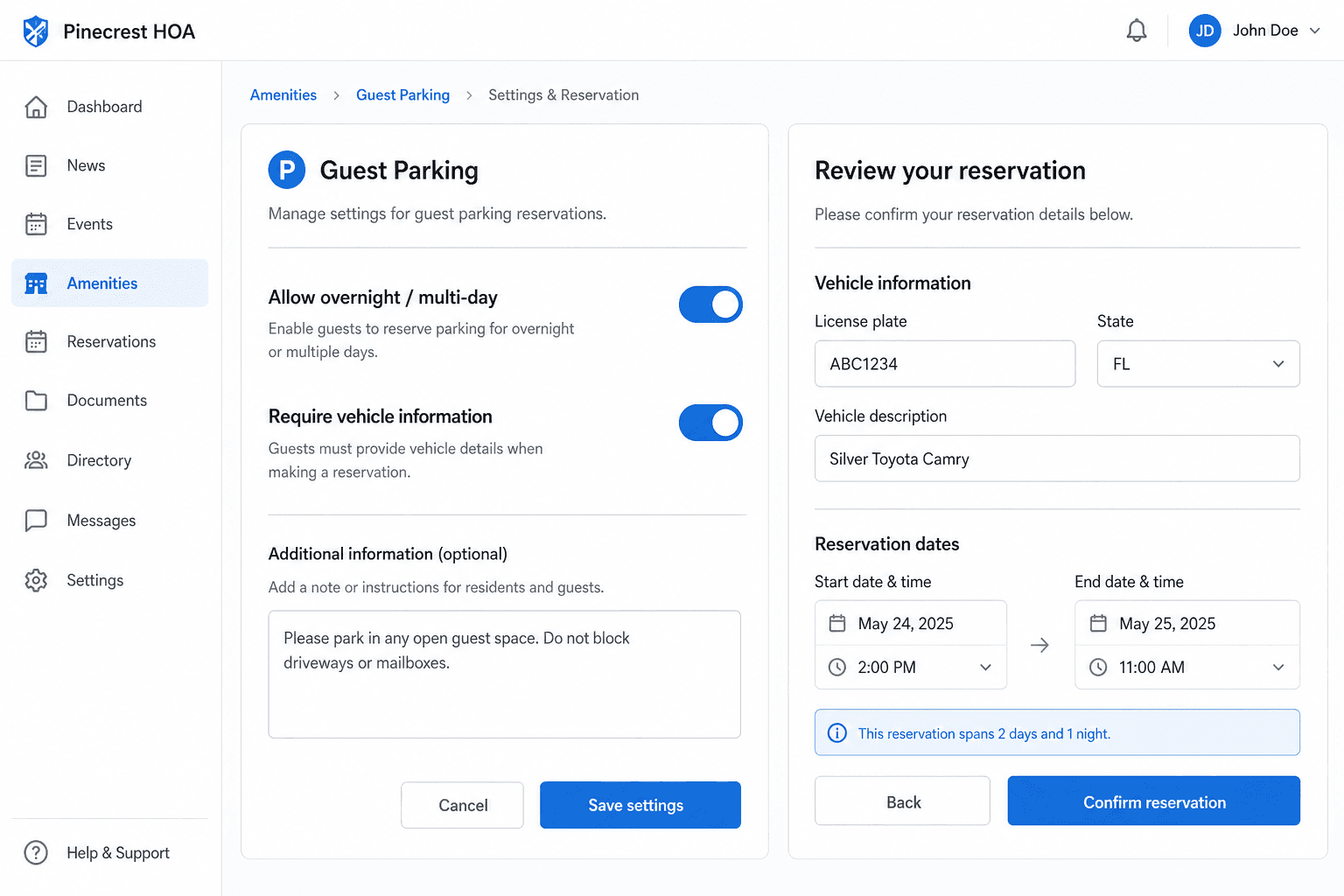
Vehicle details when required: residents enter plate and state; boards can enable overnight stays. 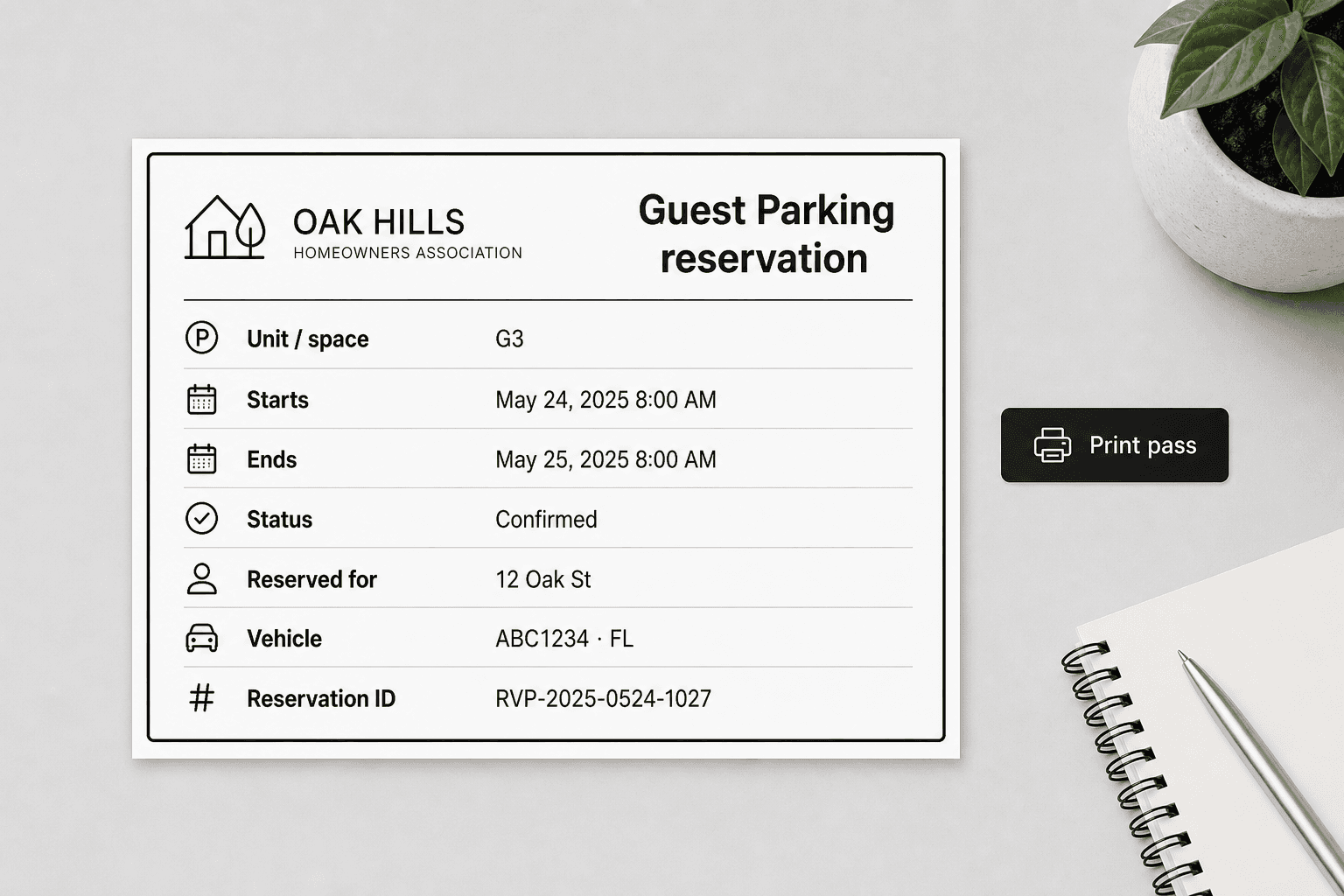
Reservation pass: print “Guest Parking reservation” with the space name for multi-unit amenities.