How to organize HOA documents and search them with AI
Date published: July 18, 2026
Updated: July 18, 2026
Author: Kelly Fansler, Founder HOAResidents
How volunteer boards organize governing documents and use AI search so residents can find bylaws, CC&Rs, and minutes without emailing the board for every PDF.
Ask any volunteer board member what eats their evenings and you will hear a familiar list: “Can you send me the CC&Rs?” “Are short-term rentals allowed?” “Where is last year’s budget?” The answers already exist in PDFs — they just live in someone’s email, a personal Drive folder, or a binder nobody wants to dig through on a phone.
That is the job of organizing HOA documents so people can search them: upload governing files once, keep them in folders with visibility rules, and stop being the human search engine for your association. On HOAResidents.com, the same upload also powers automatic AI searchand document Q&A — so residents ask the library instead of emailing the board. For the commercial product overview, see HOA document management software.
The workflow is intentionally simple: upload and done. Put the files in your HOA document library, set who can see them, and the platform indexes them for search and AI answers.
Upload once. Stop answering the same questions.
Most HOA document chaos is not a missing policy — it is a missing place to find it. When bylaws, rules, and minutes are scattered, every new homeowner creates the same email thread. Document management flips that:
- UploadCC&Rs, bylaws, architectural guidelines, budgets, and minutes into your HOA library.
- Organize with folders and visibility rules — Public on your free HOA website (no registration), Residents in the portal, or Board only for sensitive files.
- Done— visitors download public docs from your home page; residents browse and search in the portal. AI Q&A can answer policy questions from the files you already uploaded, with citations back to the source.
You are not building a second knowledge base. The documents you upload are the knowledge base.
How automatic AI search tools help residents (and the board)
Folder browsing helps when someone knows which file they want. Automatic AI search helps when they only have a question: pet rules, fence height, parking, rental restrictions, or architectural submission steps.
On HOAResidents.com, uploaded documents are indexed for AI document Q&A. Residents and board members ask in plain English and get answers drawn from your actual governing documents — not generic internet advice — with citations pointing to the section that matters.
That is how document management eliminates routine questions to the HOA. The board still handles judgment calls and exceptions. The library handles “what do the rules say?”
What belongs in HOA document management software
- Bylaws, CC&Rs, and community rules
- Architectural guidelines and forms
- Meeting minutes and annual budgets
- Board-only contracts and sensitive records (hidden from residents)
Visibility controls matter. Good HOA document management software is not “everything public.” It is one library with clear Public (free website downloads), Residents, and Board only scopes so sensitive files never leak into a shared Drive link — while governing documents buyers and realtors need can stay easy to find. See also the free HOA website feature.
A Saturday setup that cuts Monday email
- Create folders for governing docs, minutes, and board-only records.
- Upload the documents people ask for most— CC&Rs, rules, and architectural guidelines — and mark the ones that should be on your free HOA home page as Public (no registration). Use Residents visibility for portal-only files.
- Let indexing finishso search and AI Q&A can use the new files.
- Tell the community once via an announcement: documents and AI answers live in the portal now — stop emailing the board for PDFs.
- Add OCR on Pro if you have scanned PDFs that need text extraction for searchable AI answers.
What this replaces
- Forwarding the same bylaws PDF for the tenth time
- Personal Google Drive links that break when a board member leaves
- Evening digs through email for “where did we save the parking policy?”
- Guessing at rules when the answer was already in a document nobody could find
Upload and done is not marketing fluff — it is the operational difference between a volunteer board that answers the same question forever and a community that self-serves from an official library.
Related tools that keep questions out of your inbox
Document Q&A handles policy lookups. Day-to-day resident requests still belong in a shared inbox for the HOA board, and official community notices belong in announcements with automated email.
Try document management free
HOAResidents.com is free through January 2027. Upload your governing documents, publish a few as Public on your free HOA website for no-registration downloads, turn on resident access for the rest, and let automatic AI search answer the questions that used to fill your board inbox. See HOA document management software, explore the free HOA website, or try AI document Q&A. Review pricing and the founding rate lock.
In the product
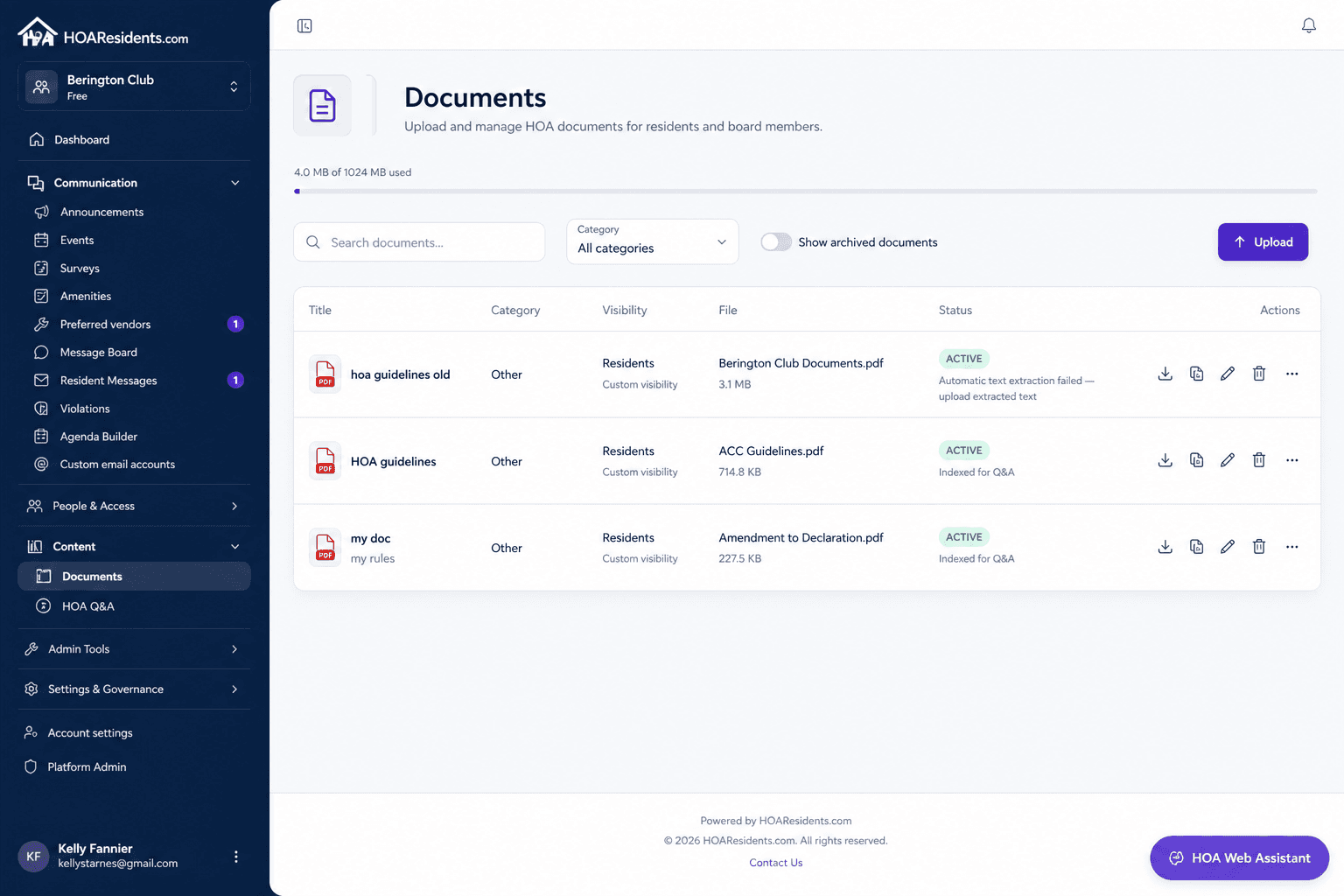
Document library: upload once and set Public, Residents, or Board-only visibility. 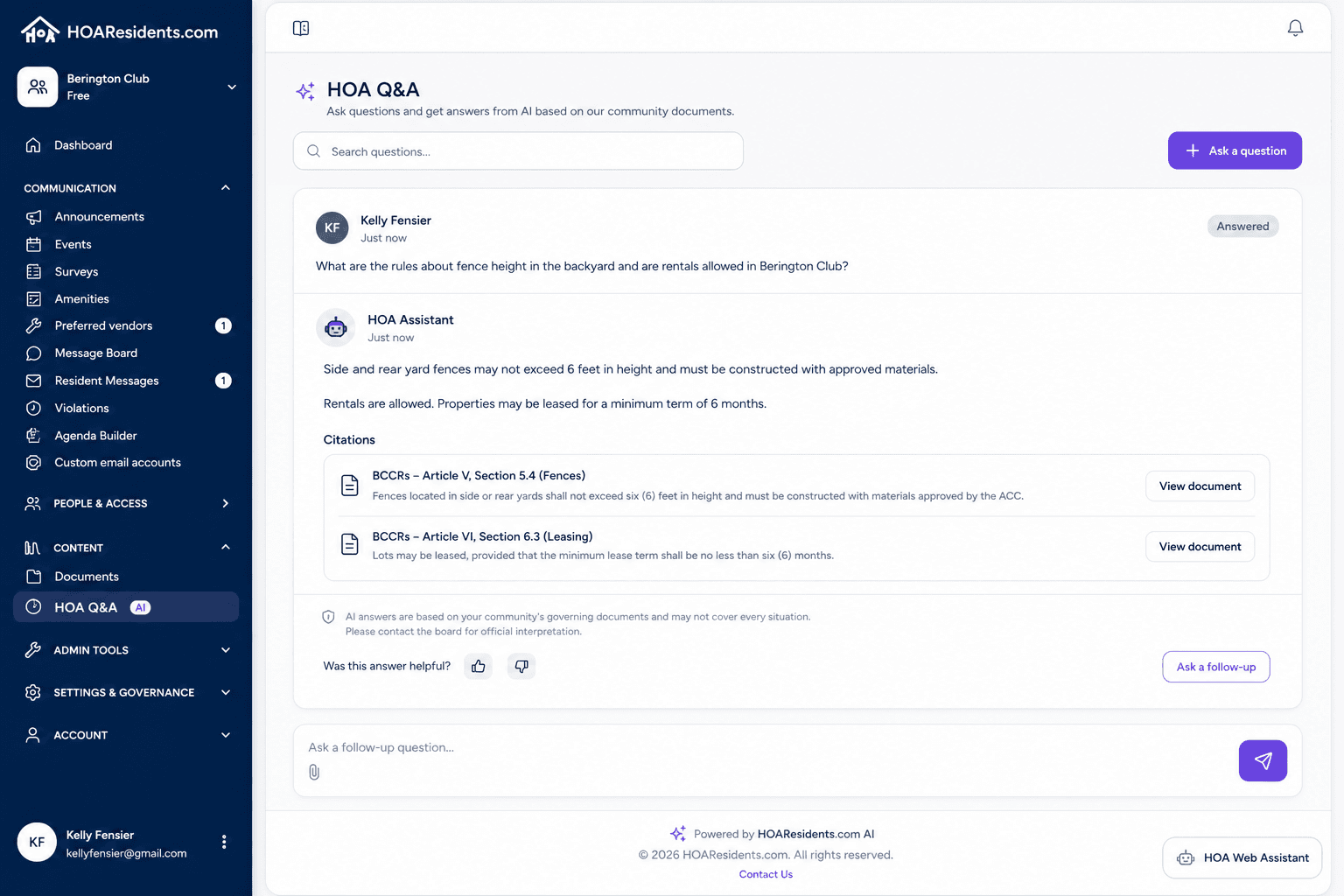
Resident Q&A: ask a policy question and get an answer cited back to your governing documents. 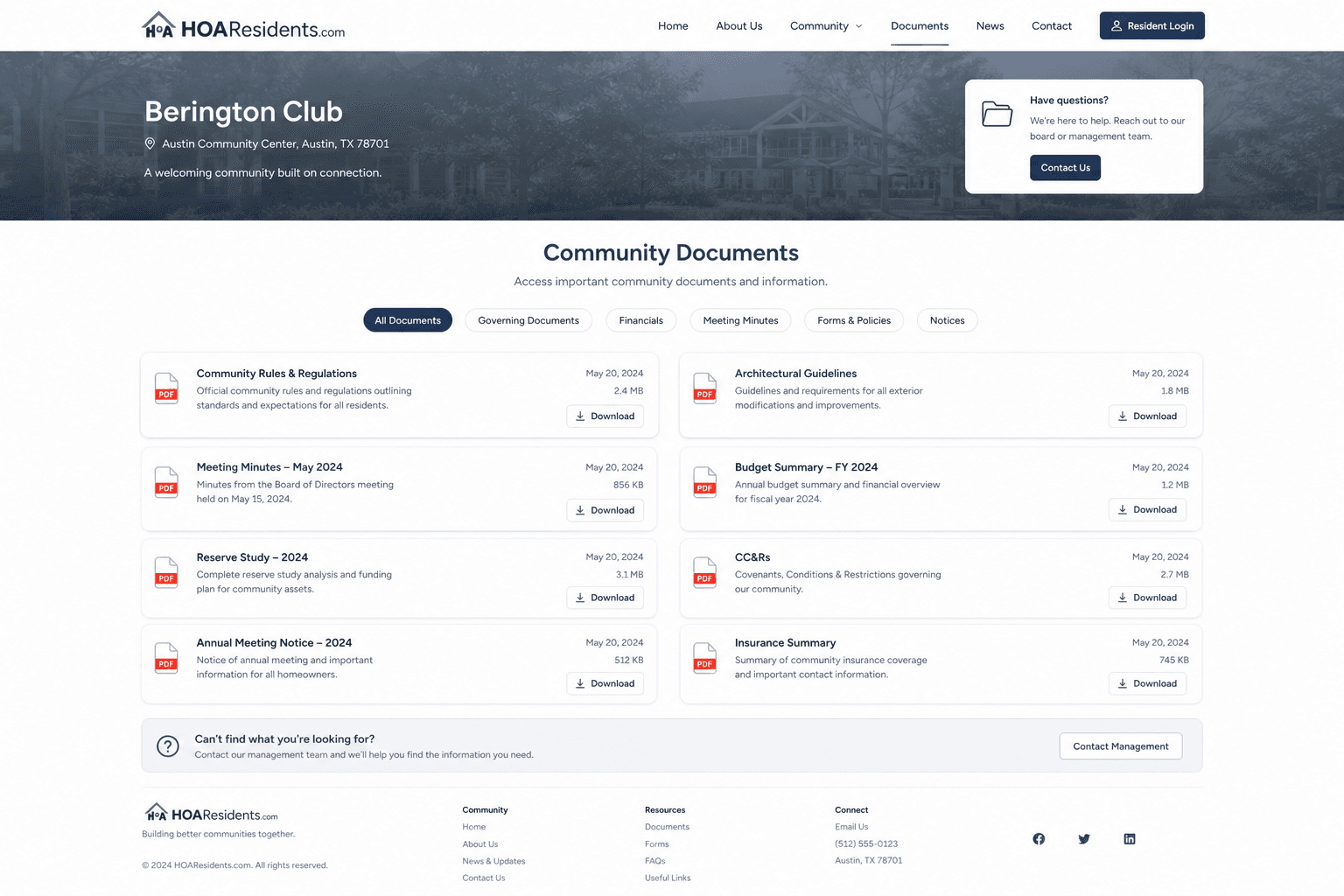
Public website documents: selected files download without registration for buyers and new homeowners.